Best app blockers for iPhone in 2026
If you've ever deleted Instagram on a Sunday night and reinstalled it by Tuesday, you're not alone. Almost everyone who tries to use their phone less starts by looking for an app that will do the hard part for them.
The good news is there are plenty of them. The tricky part is that they work in very different ways, and the one that suits your friend might not suit you at all.
So we tried to lay them out plainly: how each one works, what it costs, who it's good for, and the one thing to know before you start. Shall we get into it?
Why an app blocker in the first place
Most of us don't pick up our phones because we decided to. We pick them up because there's a pause: the kettle, the red light, the gap after a sentence. If you're curious about that part, we wrote a whole piece on why you keep checking your phone.
App blockers try to put a little friction in that moment. Some slow you down, some lock the door, and a few hand the key to something outside your phone.
The options
Apple Screen Time
The one you already have. Screen Time is built into every iPhone, and it lets you set daily limits for apps or whole categories, plus a Downtime schedule for the evening.
Price: Free.
Who it suits: Anyone who wants to start without downloading anything, and parents managing a child's phone through Family Sharing.
The honest trade-off: when a limit runs out on your own phone, you can tap past it in a second. It works best as a reminder, less as a wall.
Opal
Opal blocks the apps you choose on a schedule, with focus timers and a daily score that tracks how your phone use is going. Its Hard Mode is designed so you can't switch it off mid-session.
Price: A free plan with one rule. Opal Pro is $99.99 a year, $19.99 a month, or $399 for lifetime access.
Who it suits: People who like structure, schedules and seeing their progress in an app.
The honest trade-off: most of the good stuff lives in Pro, and it's one of the pricier options here.
one sec
one sec takes a gentler approach. When you open an app you've chosen, it asks you to pause first, with a deep breath or a short exercise, then lets you decide whether to carry on. It can also fully block apps during scheduled sessions.
The idea has real research behind it. A 2023 study in the journal PNAS, run with one sec's own data, found the pause led people to open the targeted apps 57% less often on average (Grüning et al., 2023).
Price: The essentials are free, with a paid Pro tier for more features.
Who it suits: People who don't want to be locked out, just slowed down.
The honest trade-off: some people find the pause starts to feel routine after a while, and they learn to wait it out.
Freedom
Freedom has been around for years and is strongest when you work across several devices. One session can block the same apps and websites on your phone, laptop and browser at once.
Price: A free plan covers basic blocking. Premium is $8.99 a month or $3.33 a month billed yearly, and there's a one-time Forever plan (listed at $99.50 at the time of writing). Locked Mode, which stops you ending a session early, is Premium only.
Who it suits: People whose distraction follows them from phone to computer, especially during work hours.
The honest trade-off: it's built for focus sessions at a desk more than for evenings at home.
ScreenZen
ScreenZen is the free answer people give most often in online forums. You pick your apps, set limits or schedules, and add a pause before opening them. There's a lock mode to make it harder to uninstall.
Price: Free, supported by donations.
Who it suits: Anyone who wants Opal-style features without a subscription.
The honest trade-off: like every app on this list, it lives on the same phone it's trying to manage.
Brick
Brick is the one with a physical piece. You choose which apps to block in the Brick app, then tap your phone on a small device to lock them. To unlock, you have to tap the device again, so if you leave it at home, the apps stay locked. Strict Mode stops you from deleting the app or changing settings to get around it.
Price: $59 for the Brick, with a 30-day money-back guarantee. Works with iPhone and Android.
Who it suits: People who've already beaten every software limit and want the key out of their hands.
The honest trade-off: your phone still comes with you everywhere. The apps are locked, but the phone is still in your pocket and still buzzing with everything else.
Is a blocker the only answer?
No option is perfect, and here's the thing we kept noticing: every app blocker manages the phone while it's still in your hand. That's helpful, but it isn't the only way to go about it.
The other approach is distance. Put the phone somewhere else for a while, and the apps stop being a decision at all. We compared the two side by side in our guide to choosing between a dumbphone, an app blocker and a phone box.
Which one should you choose
- If you just want to try something today: start with Screen Time. It's free and already on your phone.
- If you want structure and don't mind paying: Opal gives you the most features and the clearest progress tracking.
- If you'd rather be slowed down than locked out: one sec's pause is gentle and backed by research.
- If your distractions follow you to your laptop: Freedom covers every device in one session.
- If you want it free: ScreenZen does a lot for nothing.
- If you keep finding your way around software: Brick moves the key outside your phone.
- If you'd rather put the phone away than manage it: that's why we built Saalo. Saalo doesn't block anything. The app counts your time away from your phone, and the Saalo Box gives the phone a home: place it inside, close the lid, and your session starts on its own. If you wear an Oura ring, you'll see how your sleep and stress respond on the days you step away. A good place to begin is a phone-free lunch break.
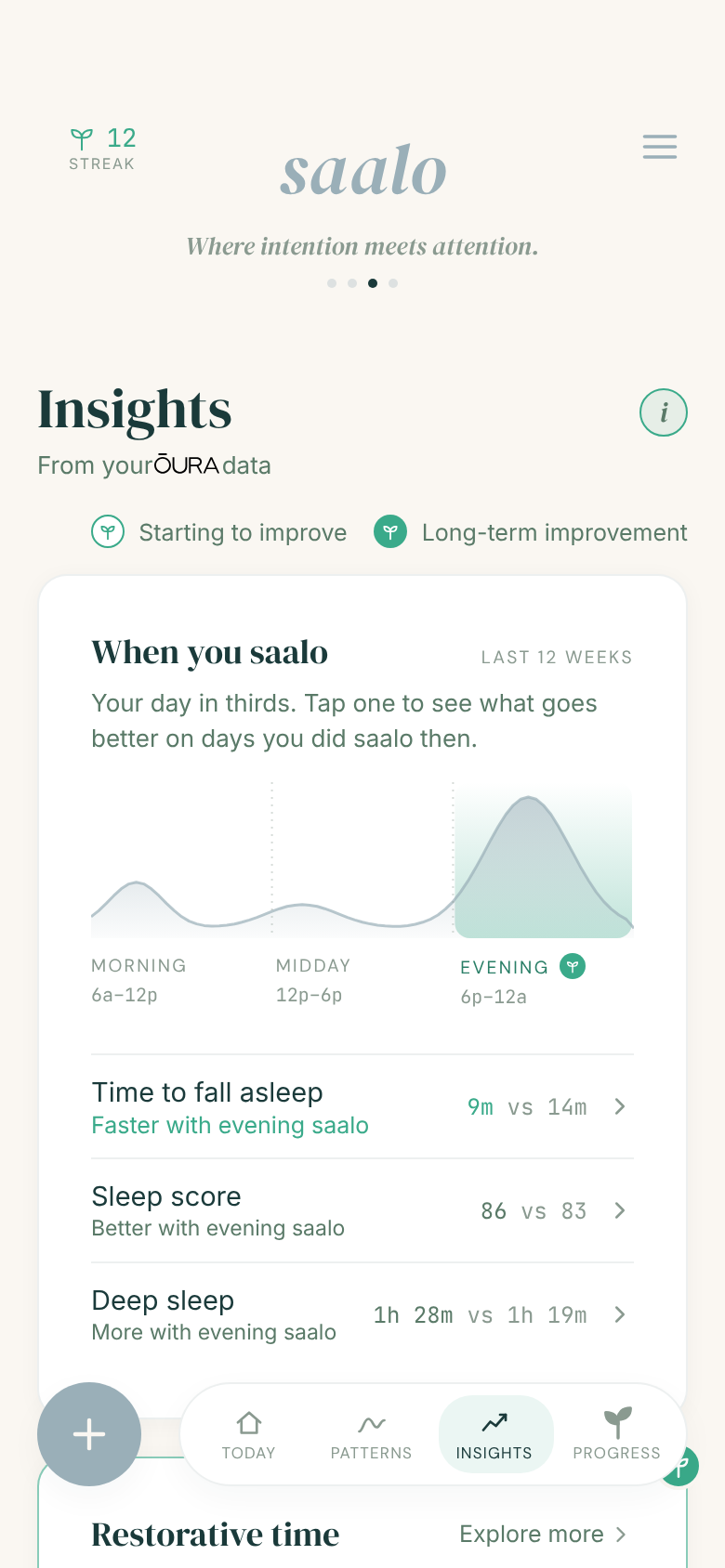
Whichever you pick, give it two weeks before you judge it. And if you'd like to try the distance approach, the Saalo app is free on the App Store whenever you're ready.